ChatGPT Ads event quality score: every warning, diagnosed and fixed
 Tarun Kapoor
Updated 17 September 2026
18 min read
Tarun Kapoor
Updated 17 September 2026
18 min read
Event quality tells you whether the conversion information reaching your ChatGPT Ads data source is useful for measurement. It is scored per pixel or data source, refreshed daily across seven complete calendar days, and expressed as a number out of 10 plus a set of warnings. This guide covers all nine warnings — what each one means, the likeliest root cause on a real stack, how to verify it yourself, and the fix — plus the five reasons a score shows as unavailable, and what you must never do to raise it.
The short answer
Event quality tells you whether the conversion information reaching your ChatGPT Ads data source is actually useful for measurement — it does not predict campaign performance and it does not guarantee that any conversion will match to an ad. Each pixel or data source gets its own assessment, refreshed daily across seven complete calendar days, expressed as a score out of 10 plus a set of warnings. You improve it by sending better identity information, preserving the click reference, and sending events promptly — never by sending more events.
What this guide covers
- What the score measures, and the four things people wrongly assume it measures
- All nine event quality warnings — what each means, the likeliest root cause, how to verify it on your own stack, and the fix
- The five reasons a score shows as unavailable, and why "unavailable" is not zero
- How event quality differs from Meta's Event Match Quality, from match rate, and from deduplication rate
- The identity stack ranked by impact, and a 14-day remediation plan
What event quality actually measures — and what it does not
Event quality is a verdict on your plumbing, not on your marketing. OpenAI looks at the conversion events arriving at a given data source and asks a narrow question: is there enough information here, arriving in good enough shape, to be useful for measurement? Each pixel or data source is assessed separately, so an account running three data sources can hold three very different scores at once.
That narrowness is the part advertisers get wrong, so it is worth stating the boundaries explicitly. Four things event quality does not do:
- It does not predict campaign performance. A 9/10 data source attached to a weak offer will still lose money. The score says your measurement is trustworthy, not that your advertising is good.
- It does not guarantee a match. Sending a perfectly normalised, perfectly hashed email does not promise that any particular conversion will be attributed to any particular ad.
- It is not a quality score in the Google Ads sense. It does not touch your auction, your ranking or your costs. There is no bid multiplier hiding inside it.
- It does not audit your funnel. The event-breadth check looks for activity across standard event groups; it makes no claim that your funnel is complete or correctly designed.
What it is good for is catching the silent failures. A pixel that fires beautifully in preview mode and transmits nothing usable. A Conversions API integration that has been uploading on a nightly cron since launch. A checkout that drops the click reference on the third redirect. None of these produce an error anywhere in your own stack — they produce a warning here, and nowhere else.

How the score is calculated: the seven-day window
Event quality refreshes daily, and each refresh assesses seven complete calendar days, with time allowed for recent events to arrive. Three consequences follow from that sentence, and all three cause avoidable panic.
First: fixes surface gradually, not instantly. When you correct a hashing bug today, today's events are correct — but yesterday's six days of broken events are still inside the window, diluting the result. The score improves as the old events age out. This is the single most common reason an advertiser "fixes" the same problem twice, having concluded after 48 hours that the first fix did not work.
Second: a delayed refresh does not wipe your score. If an assessment is late, your previously available score stays visible until a newer one is ready. A score that has not moved in a day is not evidence that something broke.
Third: after any change, verify arrival before you verify the score. Confirm that new events are arriving as expected first. The score is a lagging indicator of a thing you can check directly in minutes.
Rule of thumb
Change your setup, confirm events arrive the same day, then wait a full seven days before judging the score. Anything faster is reading noise.
Event quality vs Event Match Quality vs match rate vs deduplication rate
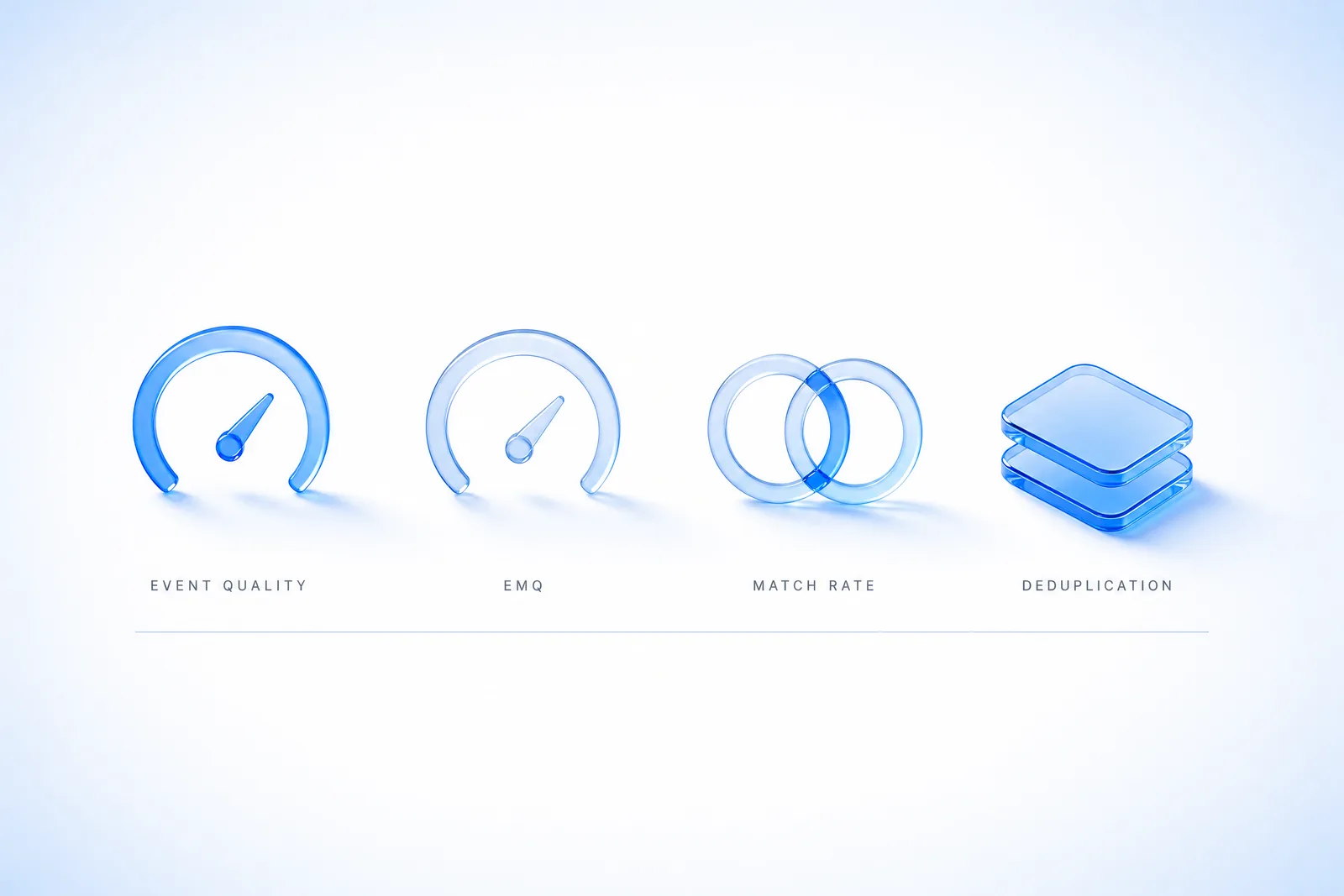
Four terms circulate in the same conversations and they are not synonyms. Advertisers arriving from Meta in particular tend to map ChatGPT Ads event quality directly onto Meta's Event Match Quality (EMQ), and the mapping is close enough to be dangerous.
| Term | What it is | Where it lives | What it is not |
|---|---|---|---|
| Event quality (ChatGPT Ads) | A per-data-source assessment of whether arriving conversion information is useful for measurement, shown as a score plus warnings. | Ads Manager → Tools → Conversions, per data source. | Not a performance forecast, not an auction input. |
| Event Match Quality (EMQ) | Meta's comparable metric, scored 1–10 on the strength of customer information sent with events. | Meta Events Manager. | A different platform with different checks — do not assume the thresholds transfer. |
| Match rate | The share of your conversions that actually get connected to an ad interaction. | An outcome, not a dashboard field you control directly. | Not the same as information presence, which is what several event quality checks measure. |
| Deduplication rate | The share of events recognised as copies of an action already received, typically browser and server copies of the same conversion. | A property of your event ID discipline. | Not a quality signal on its own — a high rate can mean healthy hybrid tracking or a duplicated tag. |
The practical distinction: several event quality checks measure whether information is present, not whether a person was successfully matched. You can raise the presence of information and still see match outcomes move slowly, because matching depends on factors outside your payload.

The nine event quality warnings, diagnosed and fixed
This is the part the official documentation explains well at the level of what and leaves open at the level of where on my stack. Each warning below gets the same treatment: what it means, the likeliest root cause, how to verify it yourself in minutes, the fix, and how long before it clears.
Work through them in the order you can verify, not the order they are listed. Start with the issues you can confirm directly in your integration — missing matching information, delayed server events, repeated event firing — and investigate the cause before you change anything.
1. Limited email or customer ID information
What it means. Your eligible conversion events are arriving without an email address or a stable customer identifier. These are the two strongest identifiers OpenAI has, so a thin result here suppresses everything downstream.
Likeliest root cause. Nine times out of ten this is not a missing field in your CRM — it is a field that never survives the journey. The classic shape: the pixel fires on a thank-you page that has already lost the form state, so em is simply never populated. The second shape: you are hashing, but you are hashing before normalising, so every value is technically present and permanently unmatchable.
How to verify it. Fire one real conversion through your own checkout. In DevTools, filter the network tab for the oaiq request and read the payload. If user_data is absent, empty, or carries a 64-character string that does not match the SHA-256 of the lowercased, trimmed email you just typed, you have found it.
The fix. Populate email or your own stable customer ID on every eligible conversion event, through the fields your integration supports. Keep one identifier per person — never recycle a shared, placeholder or default ID across different people, which reads as one person converting endlessly. Normalise first (lowercase, trim whitespace), then hash with SHA-256. Check the browser and the server implementations separately; they drift.
How long until it clears. Improvements appear gradually as the old thin events age out of the seven-day window.
2. Ad click information is missing or cannot be connected
What it means. Some conversions that OpenAI can tell came from an ad click arrived without click information that could be connected back to that same click. Note the scope carefully: this covers the clicked conversions OpenAI can assess, not every ad click and not every customer journey.
Likeliest root cause. oppref is being stripped somewhere between the ad and the conversion. The usual suspects, in order of frequency: a tracking-link redirect that rebuilds the URL without query parameters; a checkout that moves to a different origin; a marketing-site-to-app handoff; a consent wall that reloads the page clean; and a server event that was built from CRM data and therefore never knew a click reference existed.
How to verify it. Click your own live ad. Watch the address bar through every redirect hop. If ?oppref= is present on landing but gone by checkout, you have your answer — and the hop where it vanished is the fix location.
The fix. Preserve oppref from landing through to conversion, across redirects and navigation. Capture it into a first-party cookie on landing so later page views can still reach it. If you send conversions through the Conversions API, pass that person's click information into the server event; the server does not see the URL on its own. Test the whole path — tracking links, redirects, checkout, and any browser-to-server handoff. Never reuse another person's click reference or substitute a default value.
How long until it clears. Clears as newly-clicked journeys convert and enter the window.
3. Conversions API events are delayed
What it means. Some assessed server events arrived too long after the action they describe, or their timing could not be assessed at all. The check looks for receipt within one hour of the action.
Likeliest root cause. Batch architecture. If you upload conversions nightly, hourly-plus-queue, or on a warehouse schedule, you are structurally outside the window even when every event is perfectly formed. The subtler version: you retry a failed event and stamp it with the upload time instead of the original action time, which makes a punctual event look hours late.
How to verify it. Compare event_time on a sample of recent events against the order timestamps in your own database. Then compare both against when your queue actually flushed. If the gap lives in the flush, it is architecture, not data.
The fix. Send the event promptly once the business action is confirmed — not on a schedule. Audit scheduled uploads, queues, failed requests and retry delays. When you retry, keep the action's original timestamp; do not replace it with the upload time. Verify your timestamp format, units (seconds versus milliseconds is the classic) and server clock settings.
How long until it clears. Immediate for new events; the warning clears once delayed events leave the window.
4. Conversion matches need review
What it means. Some potential conversion matches were removed during attribution checks. This does not mean your underlying business events were deleted, and it does not mean every affected event was invalid.
Likeliest root cause. Repeated callbacks for one action, inconsistent timing, or too many matches tied to a single ad view. In practice: a payment provider that calls your webhook three times for one order; a thank-you page that fires on every refresh; a tag deployed twice through two containers; or a retry loop that generates a fresh event ID each attempt.
How to verify it. Pull one order ID from your database and count how many conversion events it produced. The answer should be one. Then check your event IDs: copies of the same action must share an ID, distinct actions must not.
The fix. Confirm the conversion fires after a real action — a confirmed order, a completed registration. Hunt repeated page loads, duplicate tags, duplicate callbacks and retries. Use a consistent event ID across copies of the same action including the browser and server copies, and distinct IDs for genuinely distinct actions. Preserve the original timestamp and investigate any mismatch against your business records.
How long until it clears. If the events are accurate and the warning persists, contact support with the data source, affected event names, date range, and the checks you completed.
5. Many conversions are linked to the same ad interaction
What it means. The conversions OpenAI can assess are unusually concentrated on a small number of ad clicks or views. Read this one carefully: a customer can legitimately complete several actions after one interaction, so this warning alone does not prove duplicate events or invalid activity.
Likeliest root cause. Either a genuine pattern (subscription businesses, multi-step B2B funnels, repeat purchasers inside the window) or a mechanical one (a page load, refresh, callback or retry repeatedly resending the same business action against one stored click reference).
How to verify it. Distinguish the two before you change anything. Take your highest-concentration click reference and list every conversion attached to it. Are they distinct business actions with distinct order IDs, or the same action repeated?
The fix. If mechanical: find the loop, then fix event IDs so distinct actions carry distinct IDs and retries preserve the original ID. Review whether your conversion events fire at the intended stage of the journey. If it represents real repeat purchases or several legitimate steps, retain those events — do not delete real conversions to clear a warning. Document the behaviour when you ask support to review it.
How long until it clears. Only meaningful once you have established which of the two cases you are in.
6. Limited additional matching information
What it means. Beyond email and customer ID, your events carry limited supporting signals. This check considers phone information, name and location information, and the combination of client IP address and user agent. It measures the presence of information, not whether anyone was successfully matched.
Likeliest root cause. Almost always a server-side implementation that forwards the request from the server's own perspective — so OpenAI receives your data-centre IP and a generic library user agent instead of the real customer's. Or a checkout that collects postal address but never passes it to the event.
How to verify it. Read one server event payload. If the IP is a static address in your hosting provider's range, or the user agent looks like python-requests or axios, you are sending your infrastructure, not your customer.
The fix. Where available and eligible to share, include phone information using your integration's supported field and formatting. For name and location, provide first name, last name, postal code and country for the same person, following documented hashing and normalisation rules. For server events, forward the real client's IP address and user agent when supported — never your server's address or a generic agent. Keep sending eligible email and customer ID as well; this check is additive, not a substitute.
How long until it clears. Gradual, over the seven-day window.
7. Limited event types observed
What it means. OpenAI observed limited activity across the standard event groups used for this check: browsing, intermediate actions, and completed outcomes. Different businesses have different journeys and not every stage applies — this check does not verify that your funnel is complete.
Likeliest root cause. The most common cause is an implementation that only ever instrumented the purchase. The second most common: a funnel built entirely on custom events. Custom events are not included in this particular breadth check, so a rich, well-instrumented funnel can still read as thin if none of it uses standard events.
How to verify it. List the event names you actually send over seven days. Map each to browsing, intermediate, or completed outcome. If two of the three groups are empty, that is the warning.
The fix. Map the real steps in your customer journey and identify which stages genuinely apply. Instrument the applicable ones — viewing content; adding items, starting checkout or submitting a lead; and completing an order, starting a trial or booking an appointment. Use a supported standard event whenever it accurately represents the action. Test that each event fires only when its action actually occurs.
How long until it clears. Needs a full window of the new events before it reassesses.
8. Limited Pixel and Conversions API activity
What it means. Not enough accepted activity has been observed from the supported Pixel SDK or Conversions API channels to assess their use positively. Installing an integration is not the same as events arriving.
Likeliest root cause. Requests are being sent but not accepted — wrong data source, a Content-Security-Policy that silently blocks the connect-src destination, a consent gate that never releases, or a CAPI integration still running in validate-only mode long after the build finished.
How to verify it. Do not trust the tag manager's preview. Check acceptance: are requests reaching the intended data source and returning success? A firing tag is not a received, normalised event.
The fix. Verify the Pixel SDK sends browser events and the Conversions API sends confirmed server outcomes, whichever fits your setup. Check that requests are accepted and routed to the intended data source. When both channels report the same action, use the same Pixel ID, event name and event ID so the copies can be recognised as copies. Keep distinct events for distinct actions, and never send an outcome before it occurs.
How long until it clears. Using both channels can provide complementary information — but channel activity by itself does not verify correct pairing or complete event capture.
9. Limited activity for a configured conversion goal
What it means. At least one conversion goal you configured has very few or no received events during the assessment window. Other goals can be perfectly healthy while this one fires. Received events for this check include events that were never matched to an ad.
Likeliest root cause. Usually a naming mismatch — the goal is configured against an event name your integration does not actually send. Otherwise: a stale goal left over from a campaign you no longer run, or a genuinely rare action.
How to verify it. Put the goal's configured event name next to the list of event names your integration emits. They either match exactly or they do not.
The fix. Compare the affected goal's event name and configuration against what you actually send. Confirm the event fires on the real action and that recent events are being received. Retire goals that are outdated or no longer represent something you want to measure. If the action is genuinely rare or demand is simply low right now, keep monitoring — low volume alone does not establish a setup defect.
How long until it clears. Immediate once the names align and events start arriving.
Not sure which of the nine your account is actually showing?
Most accounts we open have two or three running at once, and they interact — a stripped oppref makes the click warning fire, which makes the concentration warning look worse than it is. Twenty minutes, screen shared, we read your Events Manager together and tell you which one to fix first.
Why your event quality score shows as unavailable
An unavailable score is not a bad score, and it is not a zero. There are five distinct reasons, and the remedy differs for each.
| Status | What it means and what to do |
|---|---|
| No configured conversion goals | You have not configured the conversion actions you want to measure, or your integration is not sending the corresponding events. Configure the goals first; the score follows. |
| Not enough conversion activity | There is not enough recent conversion activity to produce a useful score. Verify the setup and let real activity accumulate. This status is different from a score of zero — it is an absence of evidence, not a bad result. |
| Not enough attribution evidence | Some checks need observable connections between conversion events and ad clicks or views. You can be receiving events perfectly well while this evidence is still limited. It does not mean your business has no real conversions. |
| Limited information for a check | A particular check needs more eligible events or more observable activity. Missing information is not treated as a failed check, and it does not automatically produce an advertiser warning. |
| Data is still being processed | The first assessment is not ready, or the latest one is incomplete. A delayed daily refresh does not, by itself, remove an existing score — your previous score stays visible. Return after processing completes; if the unavailable status persists, contact support. |
The one worth internalising is the fourth. Missing information is not a failed check. A check that lacks enough eligible events to run does not count against you and does not automatically generate an advertiser warning — so an account with a modest number of checks running is not being penalised for the ones that are quiet.
The identity stack, ranked by impact
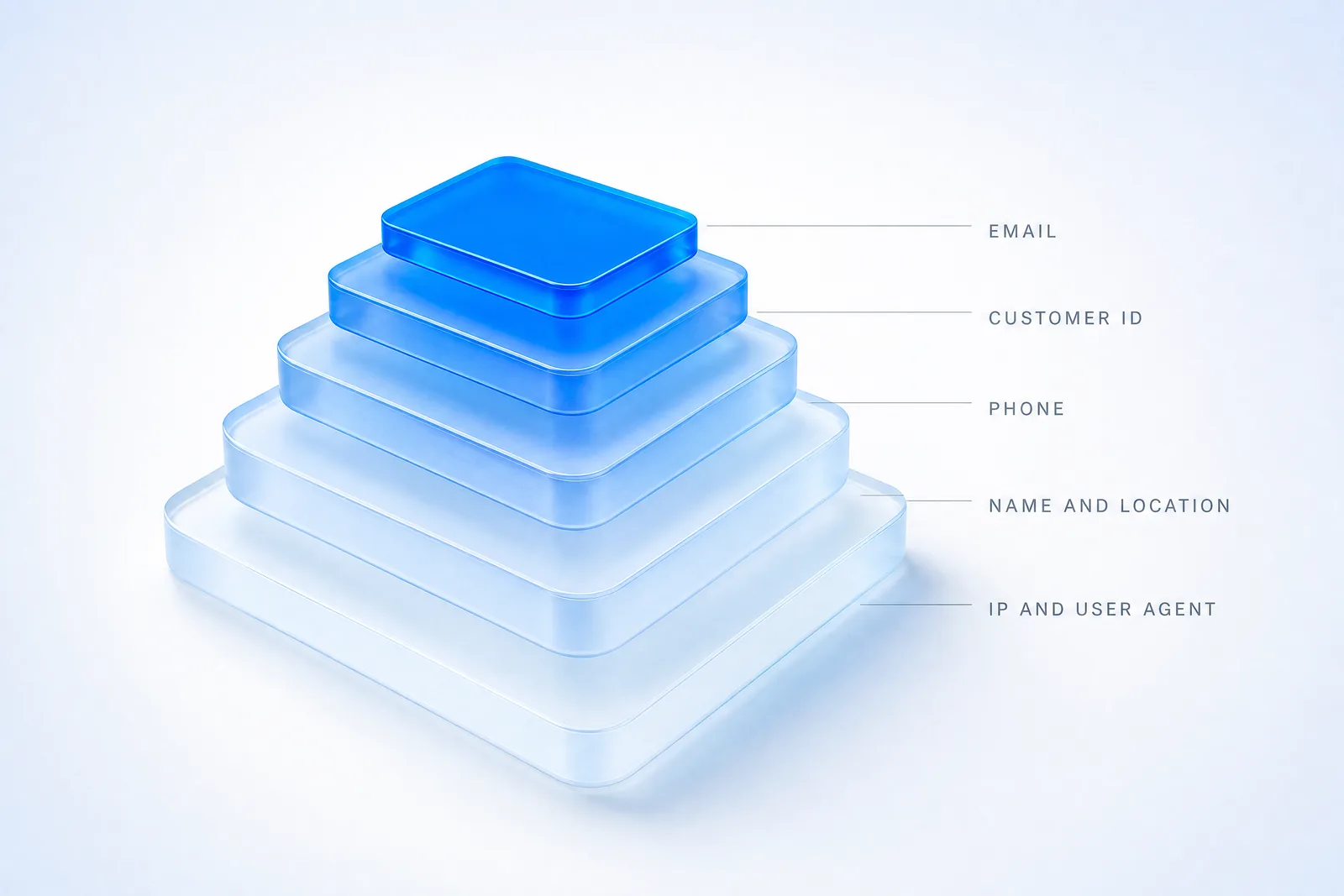
Not every identifier carries the same weight. If you are deciding where to spend engineering time, this is the order that moves event quality fastest.
- Email address. The strongest single identifier available to you. Normalise (lowercase, trim), then SHA-256. Check the browser and server paths independently.
- A stable customer ID of your own. Your internal user ID, consistent for the same person across sessions and devices. The word doing the work is stable — a value that changes per session is worse than nothing, and a shared or default value applied to many people actively corrupts the assessment.
- Phone information. Through your integration's supported field and formatting. Underused, and often already sitting in the checkout you are not passing through.
- Name and location. First name, last name, postal code and country for the same person, following the documented hashing and normalisation requirements. These work as a set; partial sets are weak.
- Client IP address and user agent. Assessed as a combination, and relevant mainly to server events. Forward the real client's values — not your server's address, not a generic library user agent.
The rule that governs all five
Only send information you are permitted to share, and respect the person's privacy and consent choices. Event quality is not a reason to widen what you collect. If your consent framework says no, the correct score is the lower one.
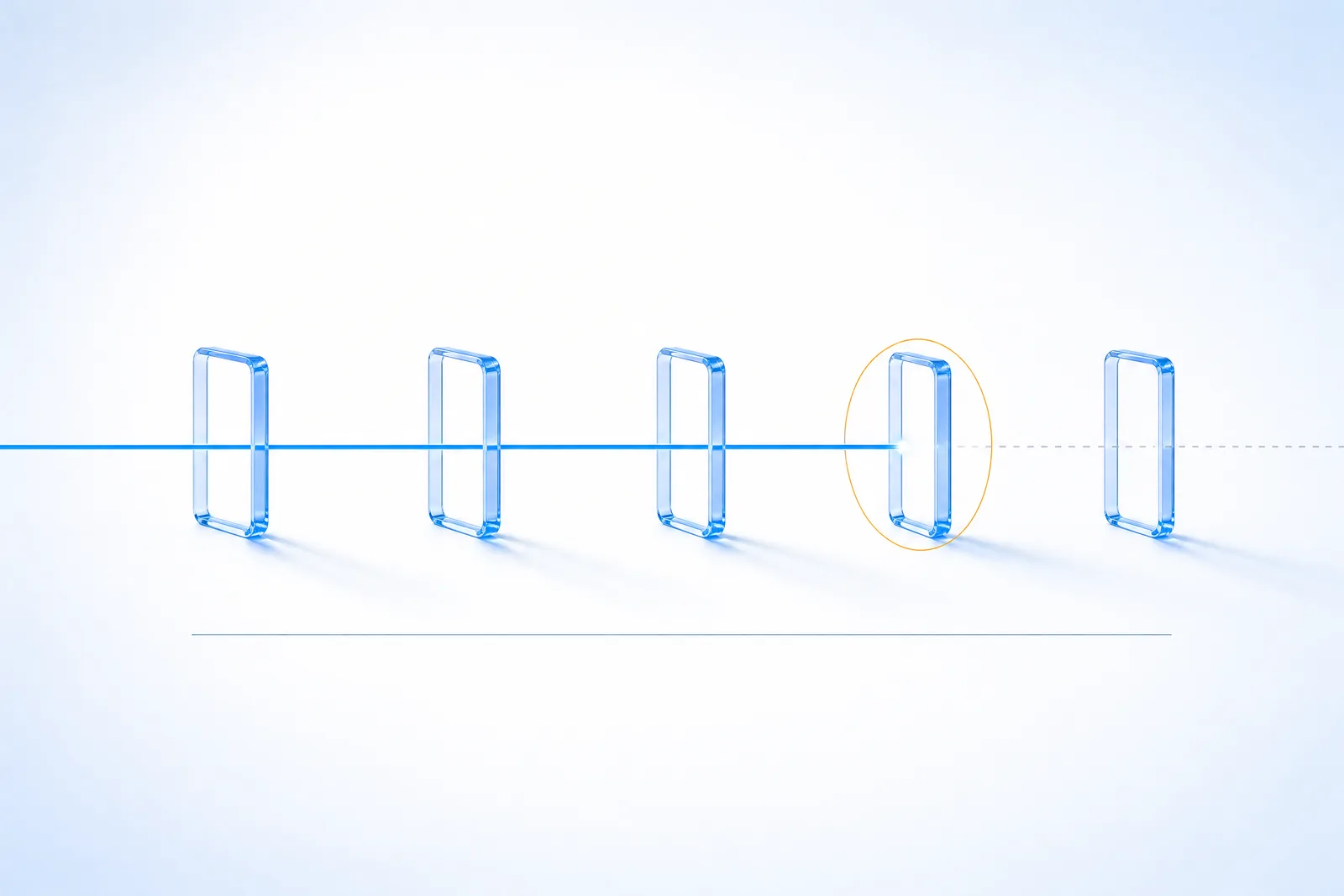
Preserving oppref from click to conversion
The click reference is the thread tying a conversion back to the ad that caused it, and it is the single most fragile element in the whole chain because it lives in a URL — the one part of your stack that half a dozen systems feel entitled to rewrite.
Map your own path and check each hop:
| Hop | How it breaks | What to do |
|---|---|---|
| Tracking link / click tracker | Rebuilds the destination URL and drops unrecognised parameters. | Configure passthrough, or append the parameter after the redirect. |
| Marketing site → app subdomain | Navigation constructs a clean URL. | Capture oppref into a first-party cookie on landing. |
| Consent wall | Reloads the page without the query string. | Read and store the parameter before the reload. |
| Hosted checkout on another origin | Cookie is not readable cross-origin. | Pass the reference through as checkout metadata. |
| Browser → server handoff | The server builds the event from CRM data and never knew a click reference existed. | Persist it with the order record and pass it into the server event. |
Two prohibitions, both absolute: never reuse another person's click information, and never substitute a default value to make the field look populated. Both corrupt attribution for everyone in the account.

Conversions API timing: the one-hour rule
The delay check looks for receipt within one hour of the action. That single number invalidates a surprising number of otherwise competent architectures — nightly warehouse syncs, hourly batch jobs whose queue then takes forty minutes to drain, and any pipeline where a human approves the upload.
Four things to audit, in order:
- Trigger. Send the event when the business action is confirmed, not when a schedule next runs.
- Queue depth. A prompt trigger behind a backed-up queue is a delayed event. Measure the flush, not the enqueue.
- Retries. Keep the action's original timestamp on every retry. Stamping the upload time is the most common way a punctual system produces a delay warning.
- Format. Verify timestamp format, units, and server clock settings. Seconds versus milliseconds is the classic, and a drifting clock produces timing that "could not be assessed correctly" rather than a clean failure.

Event breadth: mapping your funnel to standard event groups
The breadth check looks across three standard event groups — browsing, intermediate actions, and completed outcomes. Different businesses have different journeys and not every stage applies, so this is not a demand that you instrument everything.
| Group | Typical actions | Common gap |
|---|---|---|
| Browsing | Viewing content or a product | Skipped entirely by accounts that only instrumented the purchase. |
| Intermediate actions | Adding items, starting checkout, submitting a lead | Present in analytics but never sent to the ads data source. |
| Completed outcomes | Completing an order, starting a trial, booking an appointment | Usually the one thing that is instrumented. |
The trap worth knowing
Custom events are not included in this particular breadth check. A business running a sophisticated funnel entirely on custom event names can read as thin here. Where a supported standard event accurately represents the action, use the standard event.
And test that each event fires only when its corresponding action actually occurs. Do not create artificial funnel stages to clear a warning — which brings us to the section most guides skip.

What you must not do to improve your score
Because the score is visible and numeric, it invites gaming. OpenAI addresses this directly, and the rules are short enough to quote in full in spirit: send only information you are permitted to share, respect privacy and consent choices, and use real customer information describing real business actions.
Specifically, do not:
- Invent identifiers. A synthetic ID that fills the field is worse than an empty field — it pollutes matching for every real customer in the account.
- Send extra events that do not correspond to real actions, to look broader or busier than you are.
- Change event times to land inside the one-hour window. Preserve the original action timestamp even when it makes the delay warning fire.
- Reuse a shared, placeholder or default identifier across different people.
- Reuse another person's click information, or substitute a default click reference.
- Delete real conversions to clear the concentration warning. If the pattern reflects genuine repeat purchases or several legitimate steps, retain those events and document the behaviour when asking support to review.
The honest version of this work is slower and it produces a lower number in week one. It also produces a number that means something in week five, which is the entire point of measuring.
Platform playbooks: where event quality breaks by stack
Shopify
The recurring issue is the hosted checkout boundary. The click reference is captured on the storefront and then the customer moves to checkout, where the first-party cookie is not straightforwardly readable. Persist the reference as order metadata at checkout creation, then send it with the server-side purchase event. Customer email and name are present in the order object — the failure is almost always that nobody passed them through, not that they were missing.
WooCommerce
Rich first-party data (email, phone, billing name, postal code, country) sits in the order record and is routinely under-sent. The order-confirmed hook is a clean, prompt trigger that satisfies the one-hour rule naturally. The common defect is a plugin that fires the browser event on the thank-you page and a server event from the hook without a shared event ID, which manifests as "conversion matches need review".
Server-side GTM
Two specific failure modes. The click ID cookie must be set and read consistently between web and server containers, or the server event ships without click information. And the server container must forward the real client IP and user agent — by default you can easily end up sending the container's, which produces the "limited additional matching information" warning while every other field looks perfect.
HubSpot, Salesforce and CRM-driven funnels
This is where the delay warning lives. Deals close on a human timeline and sync on a batch timeline, so events routinely arrive well outside the hour. Trigger on the stage-change webhook rather than the sync, and carry the original action timestamp. The click reference must have been captured at form submission and stored on the contact record — if it was not, no amount of CRM engineering downstream will recover it.
What fixing event quality is actually worth
Event quality is a means, not an end — so the fair question is what changes downstream when you fix it. Two kinds of evidence are worth separating: what is publicly documented across the channel, and what we have measured in our own client accounts.
The public benchmark
The most complete public account of ChatGPT Ads performance remains Opascope's 15-day real-spend case: roughly $60,000 in spend against about $89,000 in revenue, a blended 1.49x ROAS at a 1.35% conversion rate. That is a single account over a short window and should be read as one data point rather than a benchmark — but it establishes the order of magnitude, and every credible account of the channel shares one trait: the measurement had to be trustworthy before the optimisation meant anything.
TopSeedz: 6.5 to 9 on event quality
TopSeedz is an ecommerce brand we worked with on exactly this problem. Their data source opened at 6.5 out of 10. After the remediation work described in this guide, it reached 9 out of 10.
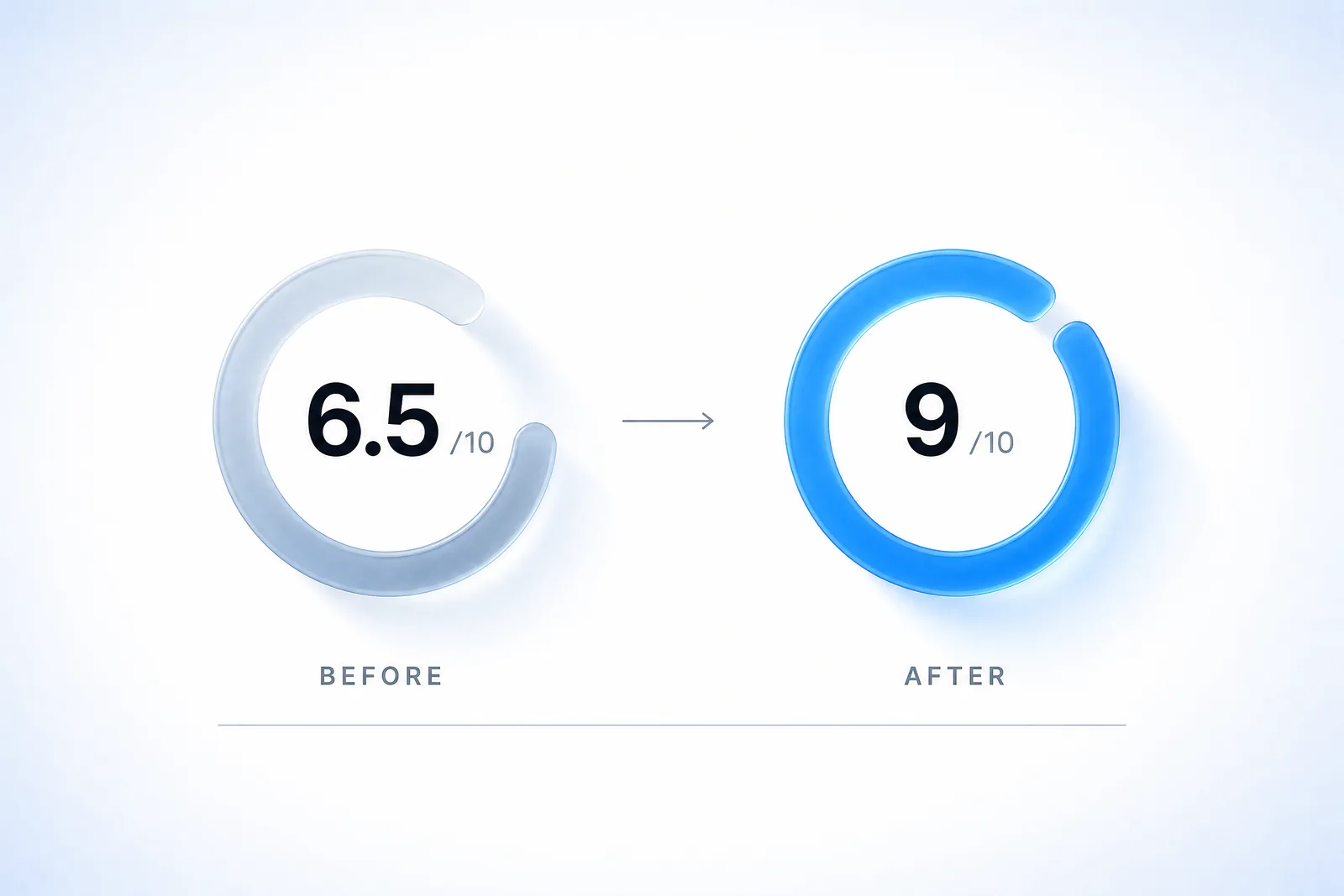
The number itself is not the win. What a move of that size represents is that conversions which were already happening started being connected to the ad interactions that caused them — so the reporting finally described the business rather than a fraction of it. That is the honest framing for any event quality improvement: it corrects your view of performance that was already there. It does not manufacture demand.
Want to know what your account is not currently seeing?
Most of the lift in these engagements is not new demand — it is conversions that were already happening and were never connected back to the ad that caused them. We will read your data source, tell you which warnings are live, and trace one real conversion end to end so you can see exactly where the thread breaks.
20 minutes with Tarun. No deck, no pitch — screen shared, in your Ads Manager.
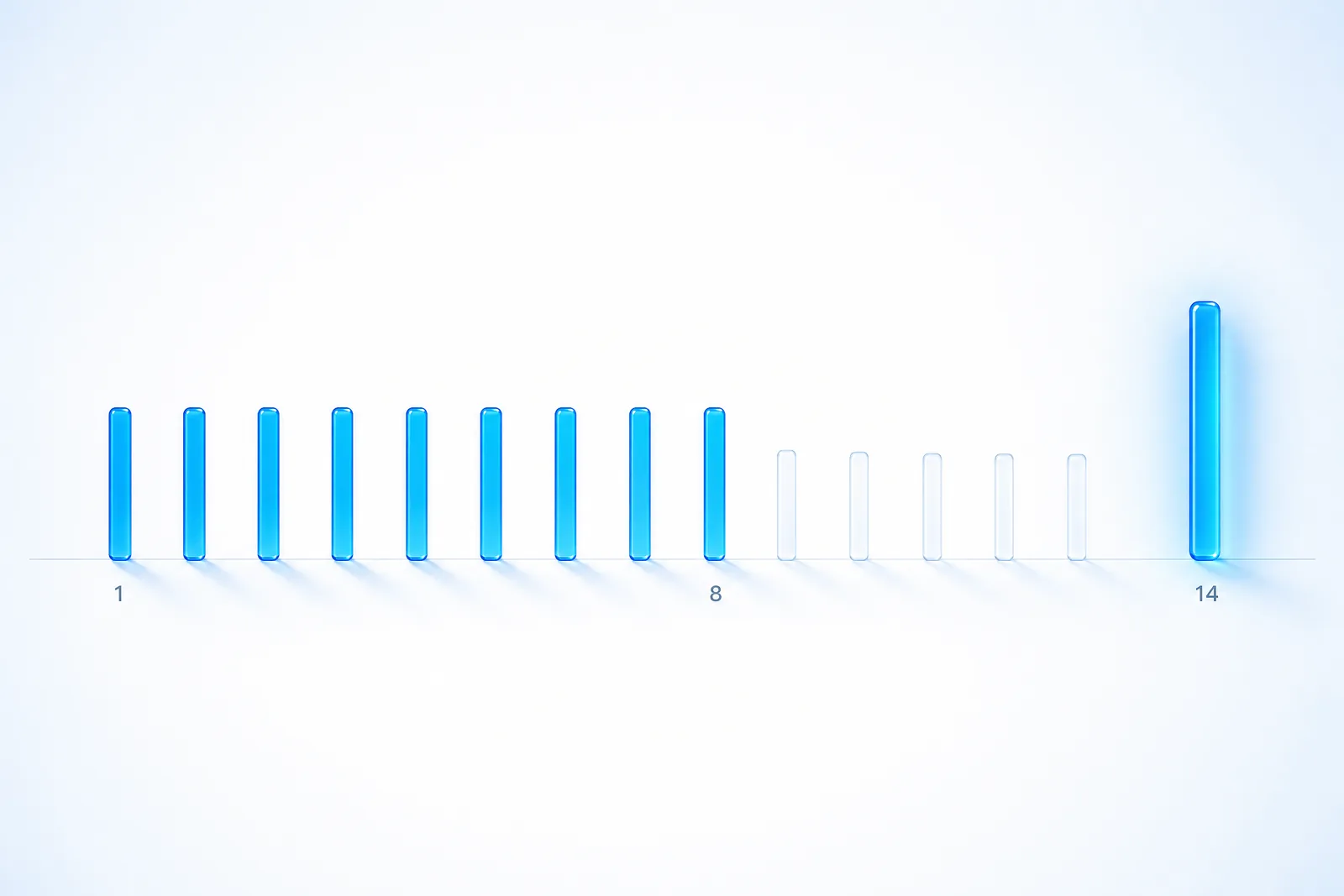
The 14-day event quality remediation plan
Sequenced so that each step's effect is observable before the next one changes the picture. The seven-day window means anything faster produces data you cannot interpret.
| Day | Action | What you should see |
|---|---|---|
| 1 | Record the current score and every active warning verbatim. Screenshot it. | A baseline you can argue with later. |
| 1–2 | Push one real conversion through the live journey. Read the actual network payload. | Identity fields present or absent, hashed or raw, normalised or not. |
| 2 | Click your own live ad and follow oppref through every hop. | The exact redirect where the click reference dies. |
| 3 | Fix normalisation and hashing on both the browser and server paths. | Correct hashes in the payload the same day. |
| 4 | Restore click reference persistence — cookie on landing, metadata through checkout, into the server event. | oppref present on conversions from new clicks. |
| 5 | Audit event IDs. Copies of one action share an ID; distinct actions do not. | One order ID producing exactly one conversion. |
| 6 | Move Conversions API from batch to prompt trigger; preserve original timestamps on retries. | Receipt inside the one-hour window. |
| 7 | Add the missing standard events across browsing and intermediate actions. | All three event groups showing activity. |
| 8 | Reconcile goal names against emitted event names. Retire stale goals. | Every configured goal receiving events. |
| 9–13 | Change nothing. Let the window turn over. | The score moving gradually as old events age out. |
| 14 | Re-read the score and warnings against your day-1 screenshot. | A real before-and-after, on a full clean window. |
If a warning survives day 14 and you have verified your events are accurate, that is the point to contact support — with the data source, the affected event names, the date range, and the specific checks you completed. Arriving with that list is the difference between a useful reply and a link back to the documentation.
ChatGPT Ads event quality: frequently asked questions
What is event quality in ChatGPT Ads, and what is a good score?
Event quality is a per-data-source assessment of whether the conversion information reaching OpenAI is useful for measurement, shown as a score out of 10 alongside specific warnings. There is no officially published pass mark; the practical target is a score with no active warnings you can act on. Treat the warnings as the instruction and the number as the summary — a 7 with one warning you understand is a healthier position than an 8 with three you have never read.
Why is my ChatGPT Ads event quality score low?
In order of frequency: conversion events arriving without an email or stable customer ID; the oppref click reference being stripped by a redirect or checkout; Conversions API events arriving more than an hour after the action; duplicate events from repeated callbacks or double-deployed tags; and server events carrying your server's IP and a generic user agent instead of the real customer's. Open the warnings for the data source — they name which of these applies.
How do I fix 'Limited email or customer ID information'?
Confirm your eligible conversion events actually carry an email address or your own stable customer identifier through the fields your integration supports. Keep the same identifier for the same person and never reuse a shared, placeholder or default value across different people. Follow your integration's normalisation and hashing instructions — normalise first, then hash — and check the browser and server implementations separately, because they drift. Then push one real conversion through your normal journey and confirm the fields are present in the payload.
What does 'Ad click information is missing or cannot be connected' mean?
Some conversions associated with an ad click arrived without click information that could be connected back to that same click. Usually oppref is being stripped between the ad and the conversion — by a tracking-link redirect, a cross-origin checkout, a consent wall that reloads the page, or a server event built from CRM data that never knew a click reference existed. Preserve the parameter through redirects and navigation, and pass the click information into server events. The check covers the clicked conversions OpenAI can assess, not every ad click.
Why are my Conversions API events showing as delayed?
The check looks for receipt within one hour of the recorded action. Scheduled uploads, queue backlogs, failed requests and retry delays all push events outside that window. The subtler cause is retries that stamp the upload time instead of the original action time, which makes a punctual event look hours late. Send promptly once the action is confirmed, preserve the original timestamp on retries, and verify your timestamp format, units and server clock.
Does 'Conversion matches need review' mean my data was deleted?
No. It means some potential conversion matches were removed during attribution checks — it does not mean your underlying business events were deleted, and it does not mean every affected event was invalid. Causes include repeated callbacks for one action, inconsistent timing, and too many matches linked to a single ad view. Check for duplicate tags, refresh-triggered firing and retry loops, and make sure copies of the same action share an event ID while distinct actions do not.
Why are many of my conversions linked to the same ad interaction?
Either your events are repeating, or your customers genuinely are. A page load, refresh, callback or retry can resend the same business action against one stored click reference — but a customer can also legitimately complete several actions after one interaction, which is normal in subscription and multi-step B2B funnels. Establish which case you are in before changing anything. If the conversions are real, retain them and document the pattern when asking support to review; do not delete real conversions to clear a warning.
What counts as 'additional matching information'?
Three things: phone information; name and location information (first name, last name, postal code and country for the same person); and the combination of client IP address and user agent. The check measures whether the information is present, not whether anyone was successfully matched. For server events, forward the real client's IP and user agent — not your server's address or a generic library user agent, which is the most common cause of this warning in otherwise clean server-side setups.
Why does ChatGPT Ads say I have limited event types?
The breadth check looks across three standard event groups — browsing, intermediate actions, and completed outcomes. Accounts that only instrumented the purchase show activity in one group. Importantly, custom events are not included in this particular check, so a funnel built entirely on custom event names can read as thin even when it is well instrumented. Use a supported standard event wherever one accurately represents the action, and do not invent funnel stages to clear the warning.
Why is my event quality score unavailable?
Five possible reasons: you have no configured conversion goals; there is not enough recent conversion activity; there is not enough attribution evidence connecting events to ad clicks or views; a particular check lacks enough eligible events; or the data is still being processed. Unavailable is not the same as a score of zero — it is an absence of evidence rather than a bad result. A delayed daily refresh does not remove an existing score.
How long does event quality take to update after I fix my pixel?
Event quality refreshes daily but assesses seven complete calendar days, so a fix made today competes with six days of older events still inside the window. Expect gradual improvement over about a week rather than an overnight jump. Verify that new events are arriving correctly the same day — that is the fast, direct check — and judge the score only after a full clean window has passed.
Does a higher event quality score mean better campaign performance?
No. Event quality highlights areas of your setup to review; it does not predict campaign performance and it does not guarantee that any conversion will match to an ad. A high score means your measurement is trustworthy enough to act on. What you then do with that measurement — the offer, the creative, the bidding — is what determines performance. Fixing event quality typically reveals conversions that were already happening rather than creating new ones.
Is ChatGPT Ads event quality the same as Meta's Event Match Quality?
They are close cousins, not the same metric. Both assess the strength of customer information sent with conversion events and both are scored out of 10, so the instinct transfers — richer first-party data and server-side sending help on both. But the checks, the assessment windows and the warning names differ, so do not assume a threshold or a tactic that worked on Meta maps directly. Read the ChatGPT Ads warnings on their own terms.
Do I need both the Pixel and the Conversions API?
Not strictly, but one check specifically looks for accepted activity across the supported Pixel SDK and Conversions API channels, and using both can provide complementary information. The pixel captures the click reference and browser context; the Conversions API captures confirmed outcomes that the browser may never see. If you run both, use the same Pixel ID, event name and event ID for the same action so the copies are recognised as copies rather than counted twice.
Can I send extra events to raise my event quality score?
No, and it will not work the way you hope. OpenAI's guidance is explicit: use real customer information and real business actions, do not send extra events, do not invent identifiers, and do not change event times to improve a score. Synthetic identifiers are worse than empty fields because they corrupt matching for real customers, and artificial funnel stages fail the requirement that each event fires only when its action actually occurs.
Sources and further reading
- OpenAI Help Center — Understand and improve event quality (primary source for all nine warnings and the five unavailable states)
- OpenAI Help Center — Conversion Measurement
- OpenAI Help Center — Conversion-optimized Campaigns
- OpenAI Developers — Conversions API, Measurement Pixel, Supported Events
Want your event quality warnings read by someone who has fixed them before?
20 minutes with Tarun, screen shared, in your own Ads Manager. We will tell you which of the nine warnings are live on your data source, trace one real conversion from ad click to confirmed event so you can see exactly where the thread breaks, and give you the fix order — whether or not you work with us.
Book a discovery callTarun Kapoor
Twelve years of media buying across GroupM, WPP, Ogilvy & Mather, and Neil Patel Digital. Has personally owned media for Nestlé, Sage, Qualcomm, Aetna, Weight Watchers, Chubb and Novotel.